Archive

I Believe I Can Fly

♪ I believe I can touch the sky ♫ I think about it every night and day ♪ Spread my wings and fly away ♫ I believe I can soar…

Photograph of Wheeler Park

Welp, I got a drone. I’ve only taken it out for a couple of flying sessions, and I’m already hooked. It’s just magic that within a minute of plugging in my phone and tapping a couple buttons I have birds eye view four-hundred feet in the air.

I’ve always been interested in RC flight, but the rumors that DJI might be banned in the US spurred the decision to jump in. It wasn’t so much out of fear of a ban, just all the hubbub made me think, “Oh ya, those exist and I want one.” I ended up getting a refurbished Air 2S. For what it’s worth, I haven’t run into anything out of the ordinary regarding privacy. Actually, I think DJI does it better than a lot of companies. The app is clear about what it collects and most things are opt-in.

But that model is four years old you say. Well, something I discovered while researching is that DJI stopped releasing SDKs for newer models. So the apps that enable planned flights and making maps is only available for old kit. That brings me to what’s next, learning how to survey areas and capture 3D landscapes. Stay tuned for more on that journey.

The Acolyte

So I’m doing my usual thing, coding and watching YouTube, when I queued up a review for “The Acolyte”. I guess it’s currently a hot topic because after that review another played, then another, and another. All of them were so negative that it got me intrigued. Is it really as bad as they claim? To find out for myself I fired up a pirate stream and watched the first couple episodes.

The verdict? It’s not good by any stretch, but it’s not as terrible as the YouTube reviewers made it out to be. The writing, direction, and lead actor are objectively awful. The music, sets, and CGI are decent. It’s not worth subscribing to Disney+ to see it and its shortcomings aren’t worth ranting about. It’s just “meh”.

What I think is maybe more interesting than the show is the discourse happening around it. On one side you have Disney marketing/PR deploying an army of shills to pump up the show. On the other side you have social media rage influencers mobilizing their followers to tear it down. Both sides spewing vitriol to vilify the other and fabricating dividing lines to polarize their audience. It’s one of the most transparent attention economy spectacles I’ve ever seen.

It got me questioning, “Why the theatre? Why the posturing? What’s the point?” Then it hit me. I’ve watched thirty minutes of mediocre YouTube reviews, eighty minutes of a mediocre show, then spent an hour writing a blog post about it… Fuck.

Safety Square

On a whim I made a simple app for interpreting NFPA 704 signs, also known as fire diamonds. Frankly, unless you’re like really into safety or fun UIs, then you’re better off reading the poster on your break room wall. That said, it’s up on the App Store for a buck if you happen to be in the small audience of folks who might find it handy.

Screenshot

A Late Entry for 2023

I’m still here! I’m just a bad blogger. I’ve started writing posts no less than a half-dozen times this year, only to talk myself out of publishing. Just to get something on up before the year ends, here are a few updates.

First, I’m currently looking for gainful employment. If you know anyone who would be interested in hiring an incredibly knowledgable and impossibly charming software architect/engineer, please send them my way 😀

On side projects, well it was another year of Den eating up most all my extra energy. The good news is that I’m finally feeling like I know what I’m doing when it comes to Apple development, especially SwiftUI. The app has improved by leaps and bounds this year and I’ve recently made a pivot to a promotion and marketing phase. There isn’t any bad news per se, just that I’ve fully come to the realization that Den is not going to be a quick or easy endeavor. I expect to be working on it for years to come. With that in mind I’m moving writing about it to the app website. In summary, the app is in a good spot and I’ve got a backlog of features to add that’s backed by user feedback. I will be working on it at a slower pace going forward so there is more room for other projects.

Not to be forgotten, Auto Reload got a nice little update in September. A wonderful GitHub Issue lead to adding an toggle button that virtually eliminated all support requests. I’ve learned so much from this silly app that it’s almost maddening. I’ve never solved 99% of complaints by adding a single button on any other project. It’s the kind of thing that makes me think, “What other magic buttons out there have I missed?”

My resolution for the new year is to write more often. Even if I have to resort to food pics, yuck, there will be more going on here. Stay tuned, more posts are in the pipeline.

Den Two Years In

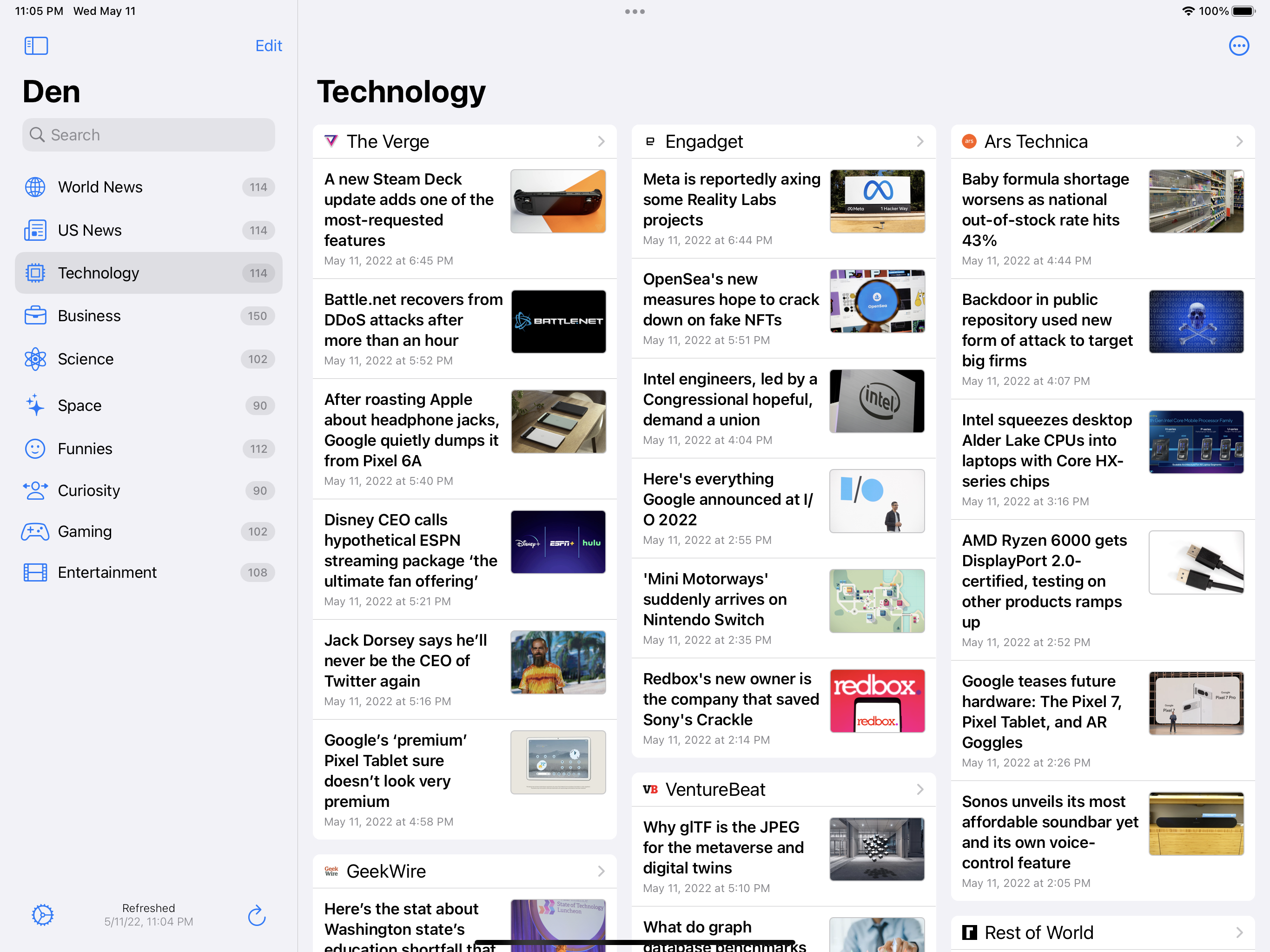
Two years ago I dove into native app development on Apple devices. It’s been an adventure, but it feels like I’m finding a rhythm. Den v1.9.2 is the best release yet. The big news is that I’ve finally solved the image handling issues. I have no idea how I missed the plethora of open source libraries out there, or why I went down the road of handling image download/scaling/caching myself, but I do apologize. Now Den uses Kingfisher for images and works much better for it.

iPad screenshotiPhone screenshot

Looking to the future of the project. I feel like Apple has broken me down and built me back up like a drill sargent might crack a new recruit. Now having a grip on the basics, I’m ready to dive into more exciting feature development. Trends powered by natural language processing, AI powered recommendations, and a browser extension are a few of the larger features in the works.

Mac screenshot

In summary, Den has been a bigger effort than I originally anticipated, but along the way I’ve also come to understand the unexpected depth and detail that goes into native apps. Development is continuing on a more chill path now that the core app experience is in a good spot.

Introducing Den, a Simple Feed Reader with a Gadget Style Layout

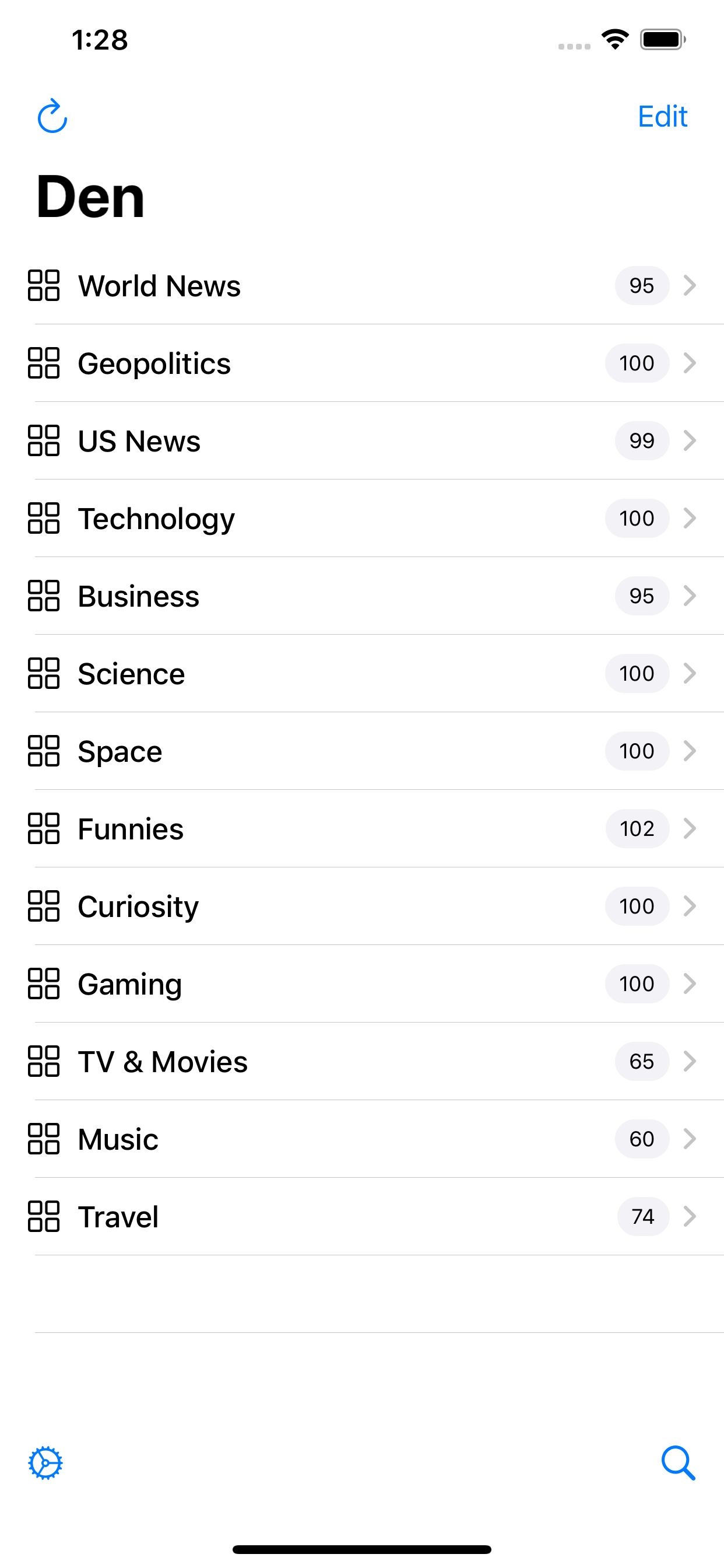
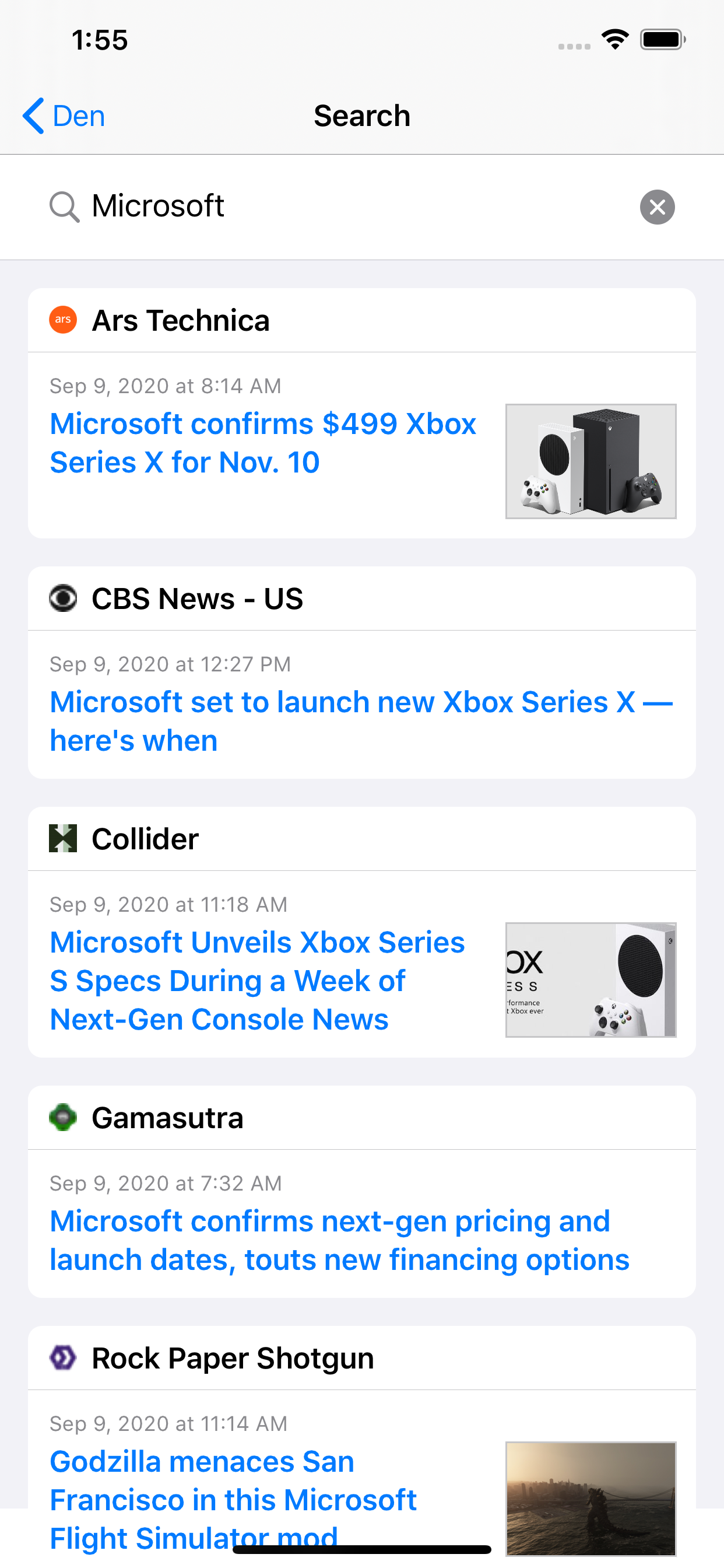
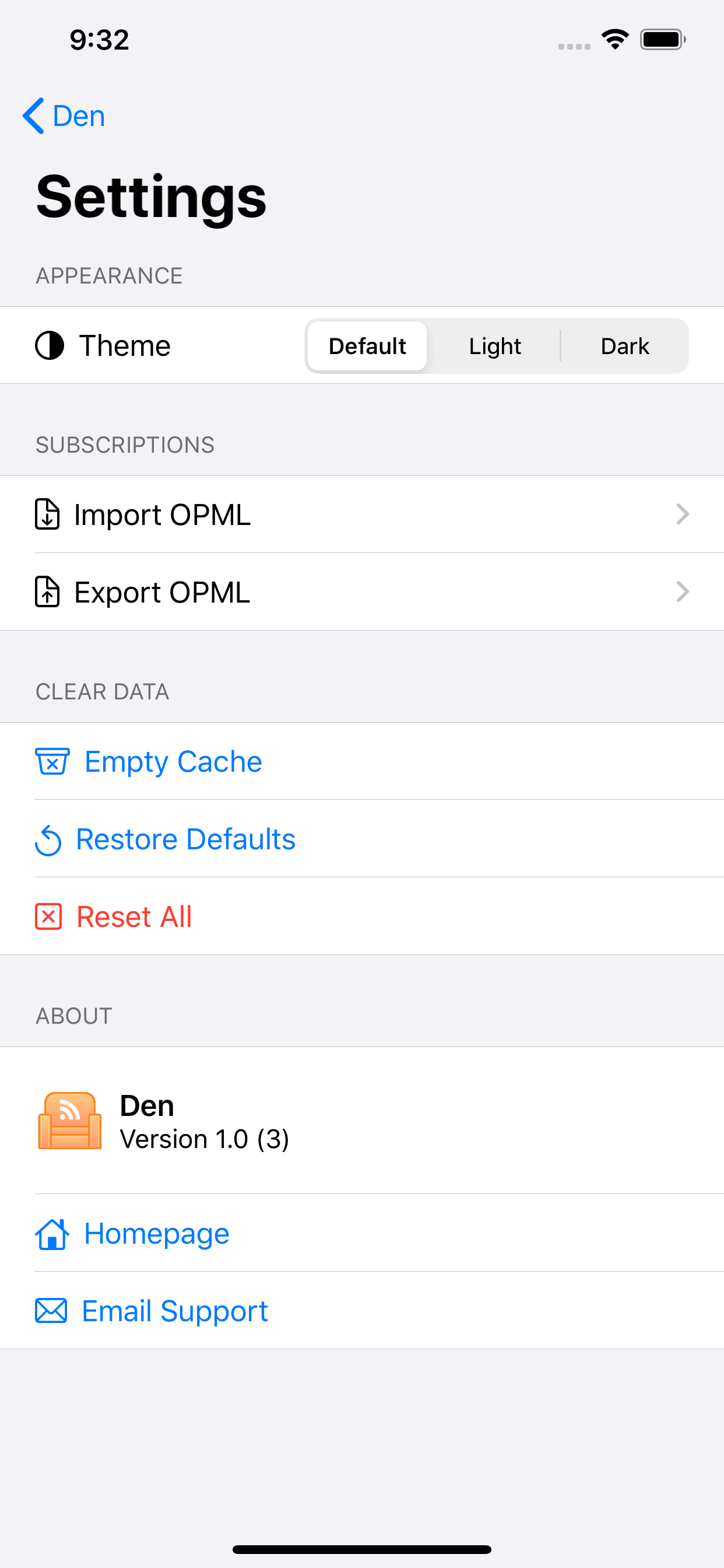
Den is out of the lab and on the App Store. It is a simple RSS reader that organizes feeds with pages and gadgets. I’m a huge fan of the syndication gadget start-page paradigm. It used to be an internet staple, with Google, Microsoft and Yahoo all having popular offerings. Now there are only a few RSS powered homepage options left.

So distraught was I about iGoogle’s closure that around six years ago I went down the road of building a start-page web service myself. It was named Den.io and had a very short life. I learned a lot of important lessons about development in the process, but ultimately decided that a web service was not the right architecture for what I wanted. There are also a bunch of non-engineering hurdles to clear with user controlled RSS in a webapp that just make it impractical. It’s not a surprise that Google and Microsoft both shut down their syndication powered start-page products. Anyway, I begrudgingly moved on from my Den.io failure, trying pretty much every RSS app that would take my OPML file, using social networks more often, etc.

Den screenshotDen screenshotDen screenshot

Jump to current day, and I’ve become disillusioned with the alternatives. It’s like a perfect storm of vigorous platform exploitation and disinformation just overwhelmed the social networks and aggregators I had mostly replaced my RSS feeds with. When I looked for a suitable app to get me back into RSS the options were disappointing. There are many great RSS readers on the App Store but none with a gadget style UI. There are gadget apps, some have feed widgets, but none really excel at news feeds, and most seem like holes for in-app purchases. Some online options still exist. My Yahoo has support for RSS still, but it’s poor. Start.me looked promising, but no iOS app and a recurring subscription fee means it’s not a good fit for me. Given that getting the news in an objective, bot-free, ad-free, no soul trading involved manner is a capability I think I’ll pretty much always need, I decided to revisit my Den.io designs and rethink implementation. The result is simply “Den”, a fully native iOS/Mac application written from the ground up using the latest and greatest Apple frameworks. Swift 5, SwiftUI, CoreData, CloudKit, etc.

I ran into more than a few, but less than a ton of, challenges during development. For one, I could have made things easier with a better formed approach. In the beginning I envisioned a feature filled dedicated MacOS/AppKit application. It was going to have every view of the news imaginable, intricate search and filtering options, and podcasting support. Needless to say, I got schooled in the prototyping stage when I realized most RSS feeds are a complete mess with metadata being either missing or inconsistent. Also, very few people read the news exclusively on their laptop or desktop these days, myself included. My mistake in approach took place when I pivoted to building a more realistic cross-platform application. Basically, even though I switched to a mobile-first toolchain, I kept the Mac first design and development strategy. I built the first eighty percent only previewing and benchmarking on Mac and ignored iPhone and iPad. This really stretched out the tail end of the project and created a bunch of redundant work. Situations like, “You know the six hours you spent last week making that perfect Mac sidebar? Ya, it looks like crap on an iPhone.” The other major blocker for me on this project was giving up control in favor the “Apple way”. As an old-school web designer used to tweaking pixels, SwiftUI feels very restrictive. I ran into a bunch of situations where I couldn’t obviously do something I wanted, researched and implemented the workarounds to make it happen, then reverted that work because it came with side effects or during the process I learned why Apple didn’t want me messing with it in the first place.

Den screenshotDen screenshot

Overall I’m very happy with the final product and all things considered, a four-month development cycle isn’t terrible. Especially given that I started with only a small amount of Swift/Xcode know-how and zero iOS/UIKit experience. I may find the “Apple way” limiting and even annoying at times, but it’s hard to argue with performance and slickness of going native. Choosing UIKit really transformed Den from a “once-a-day desktop checkin” app to an “always with you, convenient escape, reading material for the toilet” app. Since the functionality I personally want is complete and Den is on the App Store, the roadmap going forward is pretty tame. iOS 14 improvements and translation are the only two major looming tasks. That means there’s plenty of room for requests, so please send ideas my way.

As a final note, I think if anything can be learned from the last four years in the US, it’s that distributed, uncensored, and private news consumption an absolute must for a free society to function. It breaks my heart that such a large portion of info discovery on the internet has been consolidated into just a handful of extra exploitative gateways. Even if you don’t like Den, please consider taking a bit of time to try out apps and tools for getting news and info direct from publishers.

Auto Reload is Now Free and Open Source

Auto Reload, a Safari extension for automatically refreshing web pages, is now free and open source under MIT license. Downloading via the Mac app store for $.99 will continue to be the recommended option for people who prefer the convenience of automatic updates and would like to support the project. Downloads for installing without the app store are available from the Auto Reload GitHub project.

Auto Reload iconAuto Reload screenshot

My Mac app development journey has been a great experience and if open sourcing this trivial bit of code inspires just one other dev to give it a go, or helps someone find success then I’ll call it “mission accomplished” with this project.

The funny thing is, I hate browser extensions. I usually avoid them but there’s just some functionality I can’t do without, like auto refresh and a password manager. When Apple radically overhauled Safari extensions, the old extension I came to depend on no longer worked. At the time I was setting up mission control style monitor wall and was proper mad when suddenly my only option was to install a different web browser. If there’s one thing I dislike more than browser plugins, it’s replacing the default browser with something different and having yet another maintenance concern. The effort required to turn a fresh MacOS install into a digital sign server should be near zero in my opinion.

I’m not one to let a good nerd rage go to waste, so I dove into Xcode and Swift to code up a quick app. I originally was going to make it free for everyone, but then I thought, “Hey, I’m not paying Apple developer fees for the privilege of distributing a feature that they messed up.” and Auto Reload got a $.99 price tag.

The changes to Safari were fantastic in my opinion. Browser add-ons are one of the last scourges of personal computing. Heck yes I want the code scanned and signed and everything to be sandboxed with clear permissions. Thank god, put as many warnings as possible between my dad and malware. Working with Xcode and the Mac App store is also a lesson in class act management of software distribution. While others (Chrome Web Store, Mozilla Add-ons) may be free, the Mac App Store is the reference implementation others should follow.

With that in mind, there are some limitations to distribution exclusively through the app store. Most prominent is that users cannot choose which version they’d like installed. It’s a feature, most people just want the latest version I think and prefer auto updates that keep their computer running smoothly. After shipping a major update though I got more than a few emails and reviews from users asking if they could revert to the older version.

That got me thinking. These users are my customers. I believe they have should have the ability to run any version they like. It’s what I would want. I don’t recommend running software that’s unstable, but they’re adults and should be able to do what they like with what they paid for. It’s not worth the effort creating a paywall website for such a small app, so really the only sane option was public binaries. If I’m releasing the binaries, then I thought, “Why not go all in and release the code?” Again, it’s what I would want.

So in summary, my first year as a Mac app developer with a simple store offering has taught me a lot. It has corrected and enhanced much of my understanding of what it means to ship software that makes money. While I’ll continue to maintain Auto Reload with a narrow scope focused on stability, I now look forward most to it helping other developers on journeys of their own.

The Handiest Geo Dataset: NOAA Storm Prediction Center Hail Reports

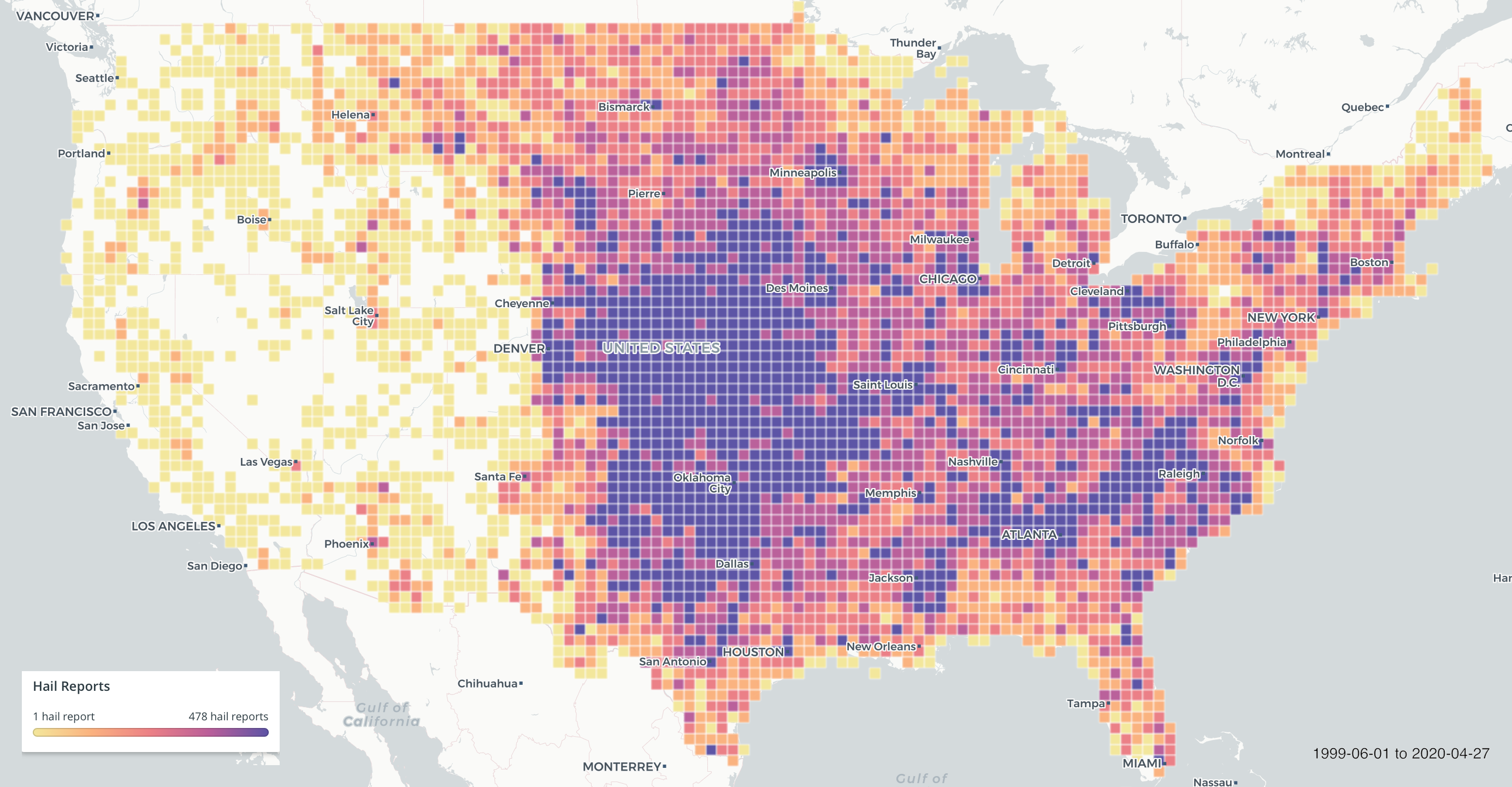
While it’s a tough fight to call, some will say satellites have the edge, I have to give it to weather radars for being the final boss when it comes environmental remote sensing. For thirty years radars have been stoically monitoring the skies over America; Warning of us impending disasters, providing a realtime map for meteorologists, and dropping scientific breakthroughs like their hot.

For all their awesomeness though, working with the data can be challenging. At least for me, the biggest blockers aren’t the obvious technical hurdles, but the ol’ gray matter upstairs. Radial projections, aberrations from attenuation, and the daunting amounts of math one must traverse to get the data into something recognizable to humans can leave even the most intrepid data wranglers lost. Which brings to today’s topic, the ground truth I reach for when I’m debugging or testing models that look at radar data: Storm Prediction Center Hail Reports.

Nothing perks up a radar quite like hail, and lucky for me, lobs of ice falling from above also sparks excitement on the ground. Despite getting hit in the head with ice being at least a mildly-traumatic event, and having to repair dents or a roof a moderate one, it seems like a fluent log of these things somehow eluded scientific record.

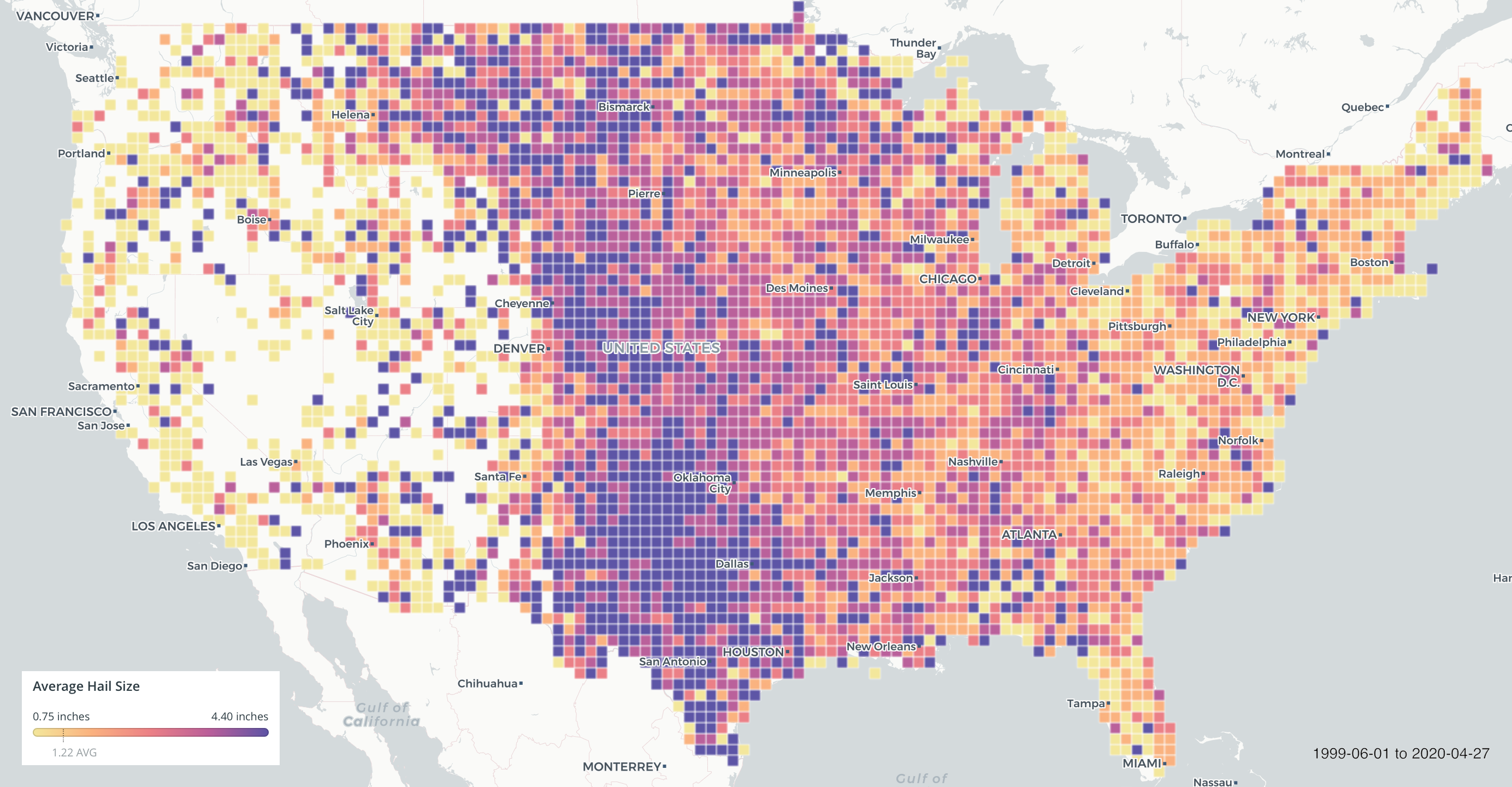
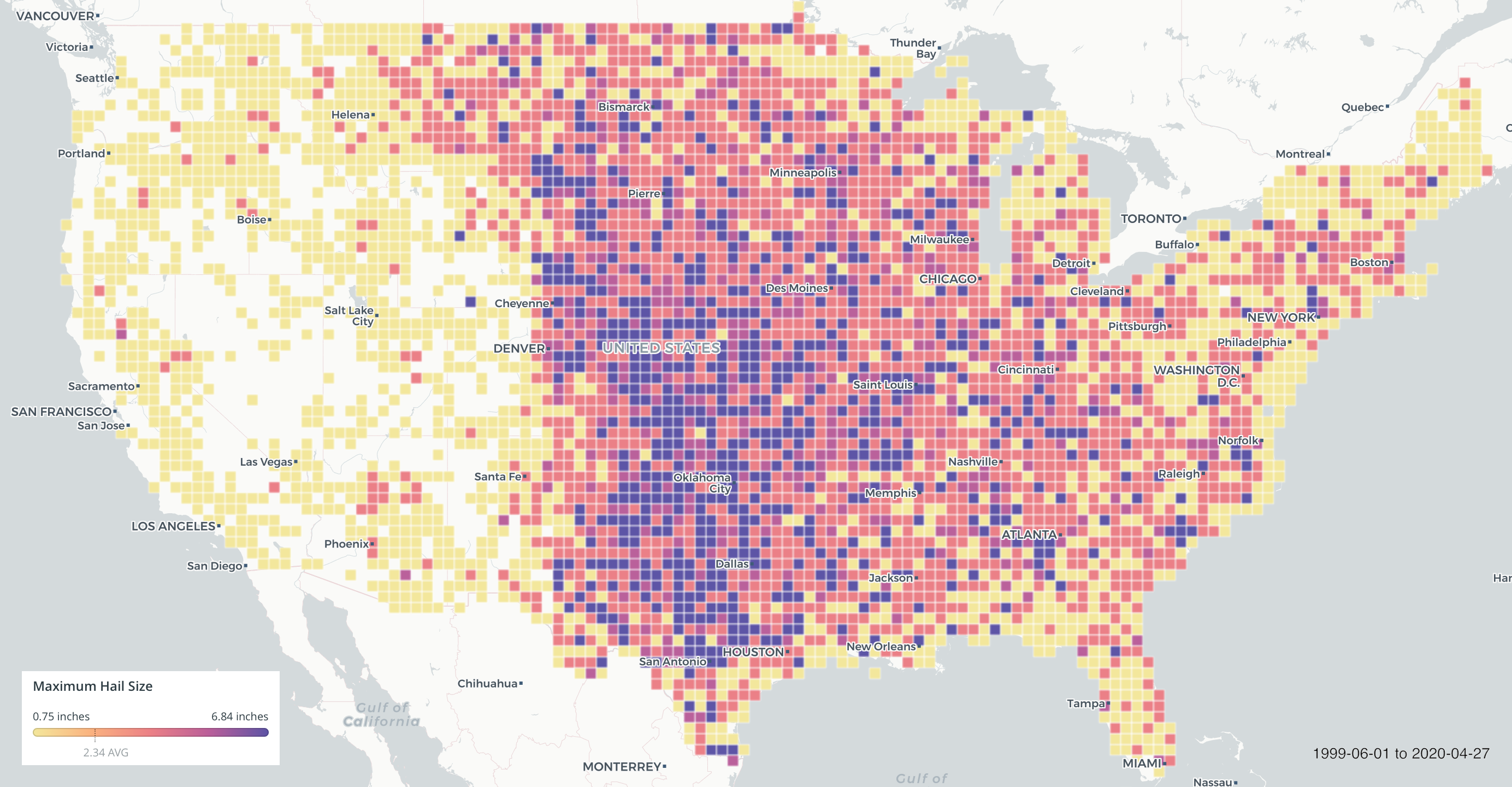
In 1999 The folks at NOAA recognized the potential of writing these things down and started logging storm reports at the Storm Prediction Center. Powered by a network of weather spotters and chasers on the lookout, these reports finally gave us the records needed to tie the ground to the clouds. Obviously, less populated areas are under represented, and data quality issues crop up now and again, but overall, the archive is very usable and has advanced hail science light-years. Another consideration is that data confidence decreases as ice crystal size decreases due to small hail not being reported as often as exceptional events. This data is for working meteorologists mainly concerned about safety and damage, with data science being further down the list of priorities. In other words, your small ice formation model isn’t necessarily invalid if it’s missing verification from these reports.

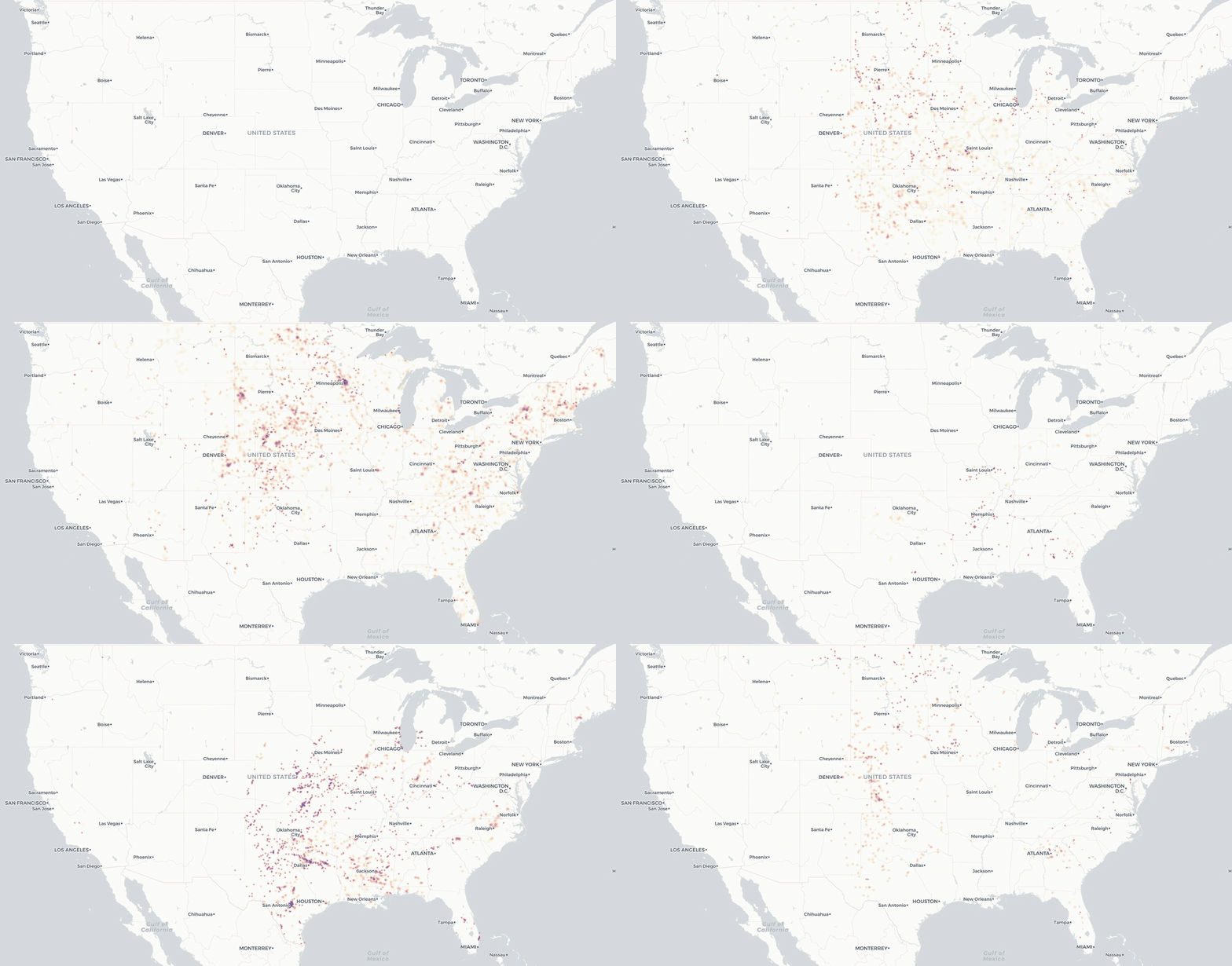
Beyond weather models, I love this dataset for testing generic geospatial applications. It’s simple, just a handful of columns, 160k fit in a 20mb CSV, has a time dimension with seasonality, and spans nearly every corner of the continental US over twenty years.

Really the only drawback is data archive access through the NOAA’s thoroughly dated website. Some wrangling is required, especially for older data. If web scrapers are in your vocab then it’s easily within reach, otherwise it can be a climb. The scripts I used to fetch data for these maps is available on GitHub.

Continue reading…

Welcome to the New Site

Welcome to my new website. I’m still moving in and polishing up the theme customization, but so far I’m really enjoying using Hexo. It’s my first time mastering a static site generator instead of a dynamic blog platform. It may seem odd to manage a small blog/profile type website with such a tool. Why not use Wordpress or another CMS? Why not use an online website tool?

Over the years this domain has been hosted by at least a dozen different web hosting services, serving either static files or a dynamic site with either Wordpress or Drupal. Over that time I learned that one, I don’t like web hosts, and two, my personal site isn’t big enough for a database. On hosting, it simply that servers are a pain. Like not a huge thing, but for something a simple as a homepage I think the maintenance schedule and billing cycle should be closer to “neverly” than monthly or yearly.

When it comes to the scope of the site, I just don’t think my namesake should need the thousands of lines of code and additional Watts required for a dynamic site to stay operational. Let’s face it, nobody is calling me for speaking gigs or book signings anytime soon. I will not need the fan club forum plugin. As I’ve gotten older I’ve realized I don’t care much for comment sections either. It’s always refreshing browsing websites that hide them by default or link to another page for discussion.

The case against website builders is even easier. I have yet to see one survive for more than ten years under the same management while maintaining some essence of modernity. Also, the code quality, performance, and privacy terms are generally terrible. No, I’d prefer to handle the code myself thank you.

With all that in mind I think a generator with an S3 bucket is the perfect technology fit for this purpose. Note that while comments may be off, I still enjoy replying to emails, from anyone, about anything. Always feel free to contact me with the email link below.